Playing Planet Zoo 2 on Steam Deck: Performance and Compatibility Overview
Learn about the technical reality of running Planet Zoo 2 on portable hardware, including official development insights, core mechanics, and system requirements.
Published: Planet Zoo 2 Wiki Editorial Team
Table of Contents
Planet Zoo 2 Hardware Requirements and Platform Accessibility
Many players are eager to know if the next generation of zoo simulation will be playable on the move. While Planet Zoo 2 is officially available on Steam, Frontier Developments has not explicitly confirmed Steam Deck optimization. When considering demanding simulation titles, it is important to understand that the game’s engine—which powers complex aquatic environments, dynamic seasonal foliage, and advanced animal AI—requires significant computational resources.
For players hoping to take their zoo management on the road, it is best to approach this with caution. Modern simulation games with complex pathfinding and thousands of individual entity interactions often push mobile processors to their limits. Until official testing or a compatibility rating is released by Valve, users should expect the primary experience to be best suited for desktop hardware.
Understanding the New Wildlife Reserve System
One of the most significant evolutions in the sequel is the transition from zoo-only management to the expansive Wildlife Reserve system. Unlike the standard zoo mode, this feature allows players to reintroduce animals from their primary zoos into large-scale, custom-designed ecosystems.
Core Mechanics of Wildlife Reserves
Preparation: Send animals from your zoo habitats into storage to initiate a "release group" setup.
Ecosystem Selection: Choose a reserve (such as the Swedish wilderness) that matches the animal's species requirements.
Environmental Modification: Use the ecosystem brush to remove pollution and adjust terrain to suit the habitat’s biodiversity goals.
Observation: Place research outposts, camera traps, and acoustic monitors to boost your biodiversity rating and track animal progress in the wild.
This loop provides a rewarding cycle. As you release animals and nurture them in these naturalistic settings, you earn conservation credits, which can be reinvested into your main zoos. It is a sophisticated, multi-layered management system that demands a high degree of user attention to detail, particularly when balancing multiple reserves and zoos simultaneously.
Advanced Building and Environmental Tools
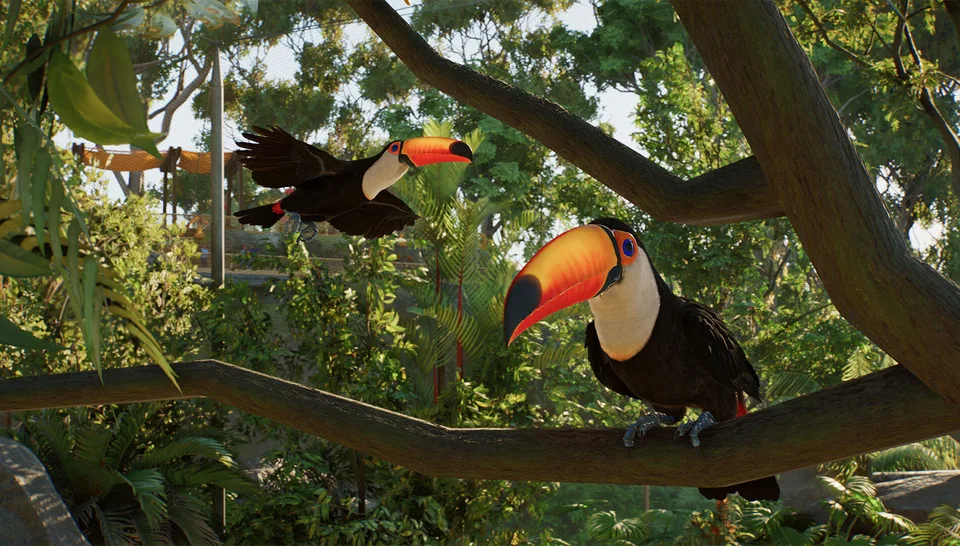
The development team at Frontier has introduced significant quality-of-life improvements to the building tools that fans of the original will find revolutionary. Whether you are building an aquarium for sharks or an aviary for toucans, the tools are designed for precision.
Tip
Use the Ecosystem Brush: When sculpting a reserve, avoid over-using a single brush size. Use large brushes for base terrain and smaller, precise adjustments for fine-tuning lake beds or forest floors.
The ability to edit water bodies live—without needing to drain or replace the liquid—is a massive improvement for creative freedom. In the previous game, adjusting a lake often meant destroying the existing infrastructure. In Planet Zoo 2, the engine handles dynamic terrain and water deformation in real-time, allowing for much more organic shapes, such as the "squiggles" mentioned by the developers, which prevent the "perfect square" lake syndrome common in management simulations.
Managing Biodiversity and Research
Your success in a wildlife reserve is measured by your biodiversity and research scores. These are not passive metrics; they require active management.
[ ] Observation Towers: Place these strategically throughout the reserve to cover different biomes.
[ ] Camera Traps: Essential for viewing animals after hours and monitoring their nocturnal behavior.
[ ] Acoustic Monitors: Use these to listen to animal health and activity, which contributes significantly to your overall research rating.
[ ] Seasonal Awareness: Remember that plants, like heather, blossom during specific seasons (e.g., Autumn). Your reserve environment will change visually and functionally throughout the year.
Community members have noted that the "Planetary Hub" is the key to navigating these complex management requirements. It allows you to jump between your zoos and reserves instantly without returning to the main menu. This level of connectivity is what makes Planet Zoo 2 feel like a living, breathing project rather than a series of disconnected levels.
FAQ: Frequently Asked Questions
Is the Wildlife Reserve content the same as the base Zoo mode?
No. Wildlife Reserves are distinct, larger-scale environments focused on conservation and rewilding. While they share some assets with base zoos, they have unique requirements for terrain, ecosystem balance, and observation infrastructure.
Can I bring my animals back from a Wildlife Reserve to my Zoo?
Based on current gameplay demonstrations, moving animals to a Wildlife Reserve is a final, "one-way" decision. The transition back to a curated zoo environment is considered too drastic for the animals' welfare.
Does the game support cloud saves or cross-platform building?
Yes, players can utilize the Frontier Workshop to subscribe to and download player-created blueprints across platforms, making it easier to populate your zoos and reserves with community-driven designs.