Planet Zoo 2 Exhibits Guide: Mastering the 2.0 Building System
Discover the overhauled Exhibit 2.0 system in Planet Zoo 2. Learn about custom spawn points, modular building, and advanced habitat mixing techniques.
Published: Planet Zoo 2 Wiki Editorial Team
Table of Contents
Understanding the Exhibits 2.0 System
The exhibit system in Planet Zoo 2 has undergone a complete transformation, shifting from the restrictive, "box-clicking" mechanics of the previous title to a truly creative, modular experience. In the sequel, the developers have introduced what is referred to as "Exhibits 2.0." This system is designed to give players granular control over their animal displays, moving away from the pre-defined menus that previously handled enrichment and layout.
In this new iteration, you are no longer limited to standard, static containers. Instead, the game provides five distinct exhibit box variants, including roundish designs and options with cutout edges, alongside a dedicated walkthrough exhibit mode. Perhaps the most significant change is the ability to disable specific parts of the exhibit, such as the ground or side panels. This mimics the functionality of popular mods from the original game, but now, it is a fully supported, native feature that allows you to integrate your exhibits seamlessly into the surrounding environment.
How to Build Custom Exhibits
Building an exhibit in Planet Zoo 2 is now a hands-on process. Rather than relying on a menu to click through enrichment items, you are encouraged to build the habitat yourself from the ground up. The game now includes a dedicated "Exhibit" tab in the building system, stocked with a variety of rocks, logs, and plants.
Critically, these items are scaled specifically for exhibit use—often smaller than the standard building pieces—allowing for an unprecedented level of detail. You can now craft the exhibit of your dreams without worrying about the game's old limitations regarding where animals might spawn or hide.
Creating a Custom Exhibit
Select Your Box: Choose from the five available exhibit box variants or the walkthrough exhibit type.
Modular Modification: Use the new "disable" feature to remove unnecessary walls or ground sections to blend the exhibit into your park's terrain.
Access the Exhibit Tab: Open the dedicated building tab to find props, plants, and rocks specifically scaled for exhibit interiors.
Place Spawn Points: Manually position the animal spawn points within your constructed habitat. This ensures animals appear in your preferred locations rather than hidden behind decorative elements.
Advanced Techniques: Mixing Habitats and Aquariums
One of the most exciting aspects of the Planet Zoo 2 exhibit system is the newfound potential for cross-habitat interaction. Based on early testing, players can now engage in a bit of "trickery" to create complex, multi-layered environments. For example, you can build a large aviary or terrestrial habitat and incorporate an aquarium lagoon within it.
By using null fencing and careful terrain manipulation, you can wrap a terrestrial habitat around an aquarium. This allows for scenarios where animals, such as hippos, can effectively coexist with schools of fish. The key is to separate the terrestrial zone from the aquatic one using terrain or in-game pieces to keep the entrance clear, ensuring that visitors can view both layers without the animals (or guests) pathfinding issues that plagued earlier simulations.
Tip
Managing Sightlines: When building these complex, multi-layered exhibits, always ensure that your "entrance" doors remain clear of terrain or props. If you block these paths, guests may flee, or animal AI may struggle to navigate the space, leading to "habitat escaped" notifications.
Animal Spawn Points and Placement
In the original game, one of the most frustrating aspects of exhibit building was the inability to control exactly where an animal would materialize. Often, players would place a beautiful rock feature only to have their animal spawn behind it, rendering them invisible.
Planet Zoo 2 solves this with manual spawn point placement. This is a game-changer for interior design. You can now place your rocks, logs, and enrichment items first, and then place the spawn point in an open, visible area. While early feedback from the community notes that selecting the spawn point versus the animal can sometimes be fiddly due to their close proximity, the added control is a massive step forward for zoo aesthetics.
Exhibit Animal Variety
Planet Zoo 2 launches with a massive roster of animals, spanning various clades and biomes. Whether you are building a small exhibit for a Golden Poison Frog or a sprawling aquarium for a Sand Tiger Shark, the variety is extensive.
According to community documentation, the game separates animals by their requirements—Habitat, Aquarium, Aviary, or Exhibit boxes. It is important to note that some species are restricted to larger boxes, while others are versatile enough for smaller setups.
Animal Classification Overview
Habitat Animals: These require large, custom-built areas. Examples include the Snow Leopard, African Savannah Elephant, and Sumatran Tiger.
Aquarium Species: Designed for water-based tanks. Includes species like the Great Hammerhead, Blue and Gold Fusilier, and Blacktip Reef Shark.
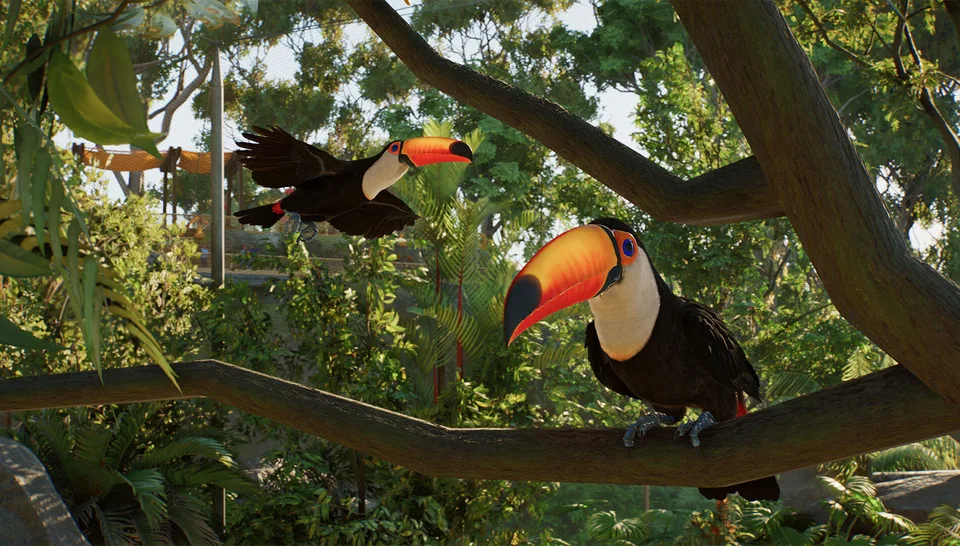
Aviary Animals: Specifically designed for flight-capable species, such as the Great Hornbill, Toco Toucan, and White-Tailed Sea Eagle.
Exhibit Box Animals: Small creatures like the American Bullfrog, Amazonian Giant Centipede, and various species of butterflies and snakes.
FAQ
Can I put any animal in any exhibit box?
No. The game imposes size restrictions based on the species. Some larger exhibit animals require the "big" exhibit boxes, while smaller species can fit into the smaller, rounder variants. Always check the animal's requirements in the species menu before building the enclosure.
Is the exhibit system I see in early gameplay 100% final?
Not necessarily. Community reports and early access testers have noted that while the systems are functional, they are still subject to polish. You may encounter minor glitches with animal clipping or spawn point selection, which the developers are actively addressing for the final release.
Do I need the Deluxe Edition for all exhibit animals?
No, the majority of the 136 species are included in the Standard Edition. However, specific animals (like the Golden Eagle or Great Hammerhead) are currently listed as part of the Deluxe Edition content. Always check the official Planet Zoo 2 Steam page for the most current information on edition-specific content.
Disclaimer: This information is based on early access gameplay and community reports of the Planet Zoo 2 build. Features, animal rosters, and UI elements may be subject to change prior to or following the official launch.